Pages

Showing posts with label Teams. Show all posts

Monday, 20 July 2026

Belbin team roles

A role could be defined as "a combination of values, attitudes and behaviour assigned to an individual who occupies a social position" (Aritzeta et al., 2007, p. 97); basically who we are in order to do a job. 'Who' we are will influence how we behave: "the behaviour expected from an individual occupying a specific position" (p. 97). 

We have long tried to work out what makes teams work: behaviouralists thought that we fell naturally into two groups; those of us who focus on the task, and those who focus on the relationships (Daft, 2008). Contingency theorists thought we also considered the situation. And then along came John Holland (1959) who proposed six environments: those of motoric, intellectual, aesthetic, supportive, persuasive, and conforming (1959, p. 35-36), which developed over time into occupational codes, or RIASEC: realistic, investigative, artistic, social, enterprising, and conventional (Nauta, 2010). If we have certain attributes we are more naturally suited to some roles than others, because of who we are. 

There are six categories that Belbin came up with which drives our "tendency to behave, contribute and interrelate with others in a particular way", including our personality, mental abilities, values and motivation, our work environment, our experience and cultural factors, and our role learning (Belbin, 2010, p. 24). Belbin also established the Team Role Self Perception Inventory, or TRSPI (Aranzabal et al., 2022). When I was doing my undergrad degree, I remember hearing about Belbin's team roles (1997), where each person in a team filled a different role depending on how they started with the team, and what the team needed:

  • Advising: Gathering and reporting information
  • Innovating: Creating and experimenting with ideas
  • Promoting: Exploring and presenting opportunities
  • Developing: Assessing and testing the applicability of new approaches
  • Organising: Establishing and implementing ways of making things work
  • Producing: Concluding and delivering outputs
  • Inspecting: Controlling and auditing the working of systems
  • Maintaining: Upholding and safeguarding standards and processes
  • Linking: Coordinating and integrating the work of others

Belbin's team roles (2010), although not necessarily terrifically scientific, provides a useful lens to consider how people fit together as a team. 


Sam

References:

Aranzabal, A., Epelde, E., & Artetxe, M. (2022). Team formation on the basis of Belbin’s roles to enhance students’ performance in project based learning. Education for Chemical Engineers, 38, 22-37. https://doi.org/10.1016/j.ece.2021.09.001

Aritzeta, A., Swailes, S., & Senior, B. (2007). Belbin's team role model: Development, validity and applications for team building. Journal of Management Studies, 44(1), 96-118. https://doi.org/10.1111/j.1467-6486.2007.00666.x

Belbin, R. M. (2010). Team Roles at Work (2nd ed.). Butterworth Heinemann.

Belbin, R. M., & Brown, V. (2023). Team Roles at Work (3rd ed.). Routledge.

Margerison, C., & McCann, D. (2026). Team Management System. https://www.teammanagementsystems.com/

Nauta, M. M. (2010). The Development, Evolution, and Status of Holland's Theory of Vocational Personalities: Reflections and Future Directions for Counseling Psychology. Journal of Counseling Psychology, 57(1), 11–22. https://doi.org/10.1037/a0018213

read more "Belbin team roles"

Wednesday, 28 January 2026

Have you heard of the Ringelmann effect?

I was listening to a podcast last year (Agnew, 2025), and the Ringelmann effect was mentioned. My ears pricked up: a new theory! This effect is named after some late 19th century agricultural engineering research (in the 1880s), which showed that, as team size increases, member contributions drop; or how "individual effort [decreases] when performing in groups as compared to when [members] perform alone" (Kravitz & Martin, 1986, p. 936, citing Latane et al., 1979, p. 822; Ringelmann, 1913). It is the first study of social loafing... sort of.

When studying how processes and group productivity relate, these human factors efficiency experiments showed that group members working together on a rope pull meant that each person could put in significantly less effort than when if they were working alone (Ringelmann, 1913; Kravitz & Martin, 1986)... which is entirely logical. We go from an individual maximum strain to being able to do things more safely, with shared responsibility. That to me is the power of numbers; the benefit of working together which allows us to minimise individual harm.

But. As we add more people to our group, the collective becomes less efficient: teams become less productive as they get bigger. There is a sweet spot for team size (Kravitz & Martin, 1986, after Ringelmann, 1913)... and this too is logical. If not everyone can get a grip on the rope, collective returns decrease. No surprises there, either, with Ringelmann noting "coordination loss" (according to Kravitz & Martin, 1986, p. 936). For the rope pull, more than 7 people was where coordination loss outweighed productivity for manual handling (Ringelmann, 1913).

And, if we have ever tried to co-ordinate a group meeting, we will all know that the larger a group is, the harder it is to get everyone aligned and free at the same time. In my experience - NB: I have no empirical evidence for this! - the sweet spot for co-ordinating a team is somewhere between three and five people.

However, I hesitate to say that Ringelmann's theory (1913) is about social loafing. My take on this is on optimisation: together we maximise collective safe physical effort, getting the job done without anyone busting a gut; until the group becomes too unwieldy to manage.


Sam

References:

Agnew, P. (2025, September). Why (often) you’re less effective in a team [Podcast]. Nudge. https://pod.link/1457621005/episode/ZjA3MzU2ZjQtOGUyNS0xMWYwLTk2ZmEtZjcyYjk0NzkzZjUx

Kravitz, D., & Martin, B. (1986). Ringelmann Rediscovered: The Original Article. Journal of Personality and Social Psychology, 50(5), 936-941. https://doi.org/10.1037/0022-3514.50.5.936

Ringelmann, M. (1913). Recherches sur les moteurs animés: Travail de l'homme [Research on animate sources of power: The work of man]. Annales de l'Institut National Agronomique, 2(12), 1-40. http://gallica.bnf.fr/ark:/12148/bpt6k54409695.image.f14.langEN

read more "Have you heard of the Ringelmann effect?"

Wednesday, 3 August 2022

Serving the team

Over time I have become particularly fond of the transformational leadership style, servant leadership (Greenleaf, 1970, 1977).

Servant leadership "begins with the natural feeling that one wants to serve, to serve first" and foremost (Greenleaf, 1970, p. 7). Servant leaders make a 'conscious choice' to lead as a form of service to others. For the servant leader, leadership is not about ego, power, or assets; it is all about the people whom they serve. Servant leadership is a 'helping' role.

My mental image of this style is that leadership takes a role similar to that of the sweeper in the winter sport of curling: the athlete on the rink despatches their stone down the pitch, while the sweeper busily brushes away the ice chips and snow in front of the athlete's best cast, in order to smooth the ride of the stone. Thus the sweeper allows the athlete to do their best work by getting rid of obstacles.

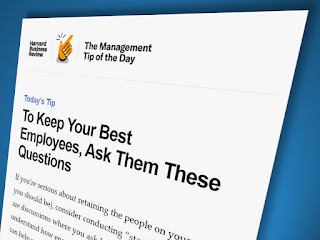
As leaders, we too can enable our team to do their best work by doing our utmost to smooth their path. Sometimes we may note where there is a problem by observation, so we can identify and remove obstacles; sometimes we may be able to remove unnecessary bureaucracy; sometimes we may bring people together to solve blockages; sometimes we need to be overt and to simply ask. Perhaps a key question we can ask our people is something along the lines of (Harvard Business Review, 2022):

"What barriers can I remove [...] to help you [to more easily] do your job?"

And we must remember: that while this is a great question to ask, we must then do our best to act upon the answer.


Sam

References:

Greenleaf, R. K. (1970). The Servant as Leader. Center for Applied Studies.

Greenleaf, R. K. (1977). Servant Leadership: A journey into the nature of legitimate power and greatness. Paulist Press

Harvard Business Review (22 March 2022). Management Tip of the Day: To Keep Your Best Employees, Ask Them These Questions [email]. https://m.a.email.hbr.org/rest/head/mirrorPage/@2d3b7kFdV0AKwMEVS1PqpFYjPnWsOoTtc5zkxNK0xAdCNz8xzcJAH69ABM_pKkHsqe1G4JP5d38kW3Hxtp7iFmwRiw3k8xX5H-n2rgF5Ad1sYlbB.html?deliveryName=DM182762

read more "Serving the team"

Monday, 19 April 2021

Apps for student teams

When running teams of student teams for project work, having an EASY method for students to evaluate each other, and for the lecturer or supervisor to easily obtain those ratings, makes the process much simpler and less time consuming.

Not only does a simple evaluation system used during the process help the evaluation, it also helps the team in working together. Review questions repeated as the assessment process continues reminds everyone of the team and teamwork goals, and what the outcomes of the working together is to achieve.

I have a professional SurveyMonkey account, and I have used that for students to bank their team feedback, and hadn't considered using anything else. However, there was a recent thread from the Academy of Management Organizational Behavior Division (2021), where members proposed three other team evaluation models, which I thought I would share. They are:

  • CATME: Created by Purdue university, this product has a lot of users (1.5m students at over 2,400 institutions globally, according to Purdue's info). The product uses self-rating, peer-rating and group-rating surveys to assess and to boost student groups function; provides teamwork training tools; flags teams in trouble; has practice surveys for groups to get started. There is a web platform, and separate instructor and team log ins. Students can be pre-assessed using the Big 5, allowing better team construction from the outset. Check out instructor videos here, and student videos here. A basic licence for up to 100 unique users is USD$100 and lasts for 12 months, running from 01 July to 30 June annually. Potential cons: paid product; the product looks a bit dated; and the annual licence may not include the Big 5 assessments (the materials made it hard to tell).

  • TEAMMATES: this is an app developed by the computer department at the National University of Singapore. Students do not have to login to use the product. Like CATME, this product uses self-rating, peer-rating and group-rating surveys to assess and to boost student groups function and provides teamwork training tools. However, TEAMMATES also allows a lot of flexibility in how to set up who sees what, and has multiple ways to set up surveys. Data is downloadable. The product looks fresh. To sign up, go here and click the green button, "Request a Free Instructor Account" on the lower right. Take a video tour here. TEAMMATES is free.

  • ITP Metrics: created at the University of Calgary by Dr. Tom O’Neill, ITP Metrics is another web-based teamwork and behavioural assessment tool. It was designed to improve classroom team dynamics. This product has self-rating, peer-rating and group-rating surveys to assess and to boost student groups function and provides teamwork training tools. Like CATME it uses the Big 5 to assess personality, but it also provides conflict tools, which is useful. Review how the assessments work here. There is an EdTech podcast interviewing Tom O'Neill exploring the product here. Like TEAMMATES it looks fresh. Like TEAMMATES it is free.

It is great to have so many educators willing to create these great tools that make teaching easier: and I would never have known if I hadn't stopped to read that thread (Academy of Management, 2021). I am seriously considering using one of these products when I next run group assignments.

If you use any of these options, I would love to hear back from you!


Sam

References:

read more "Apps for student teams"

Wednesday, 28 September 2016

Building in-group behaviours in geographically dispersed classes

As we have some new tutors in our school who are not familiar with teaching over a video link, I got asked by a colleague if I had "a couple of points" to share on creating remote student engagement.

That got me thinking.

And - while I have written a lot more than a couple of points - I came up with a few things which I think makes a difference. Firstly it is (a) mindset: that we are ONE class. Then what follows is (b) practicing and modelling the following behaviours:
  1. Considering all the students as being a team who are all in the in-group, regardless of location (read more about in-group behaviours here)
  2. Greeting everyone by as they come into the room, regardless of whether they are local or remote so everyone gets to know everyone else's name
  3. I set a task each week of students bringing shared stories of leadership into the classroom - two students do this per lecture - started with one remote student and one local student. As a result, the first four weeks had a remote student telling a two minute story each week (probably more like 5 minutes), but it helped to create a single in-group because they all learned something about each other's leadership ideas
  4. Treating the TV screen like my rear-vision mirror, so glancing up every three seconds or so to cue in on what is going on, AND treating the screen like an extra person when discussion is happening, so they another set of eyes I connect with when looking around the room
  5. When doing cases, often deliberately asking the remote group first for their ideas/questions/opinions before everyone else reports back (probably 2/3rds of the time)
  6. Reminding the local students to be quiet so the remote students can speak (usually by simply holding up my hand, palm out, and saying "hang on everyone, be quiet..." with an "...so the [campus] guys can hear", or "...so we can hear [x] speaking". They atune to the hand cue pretty quickly)
  7. Apologising when I don't hear a remote student asking a question, and again using the hand cue and asking the local students "hang on...".

I find the local students are very respectful of the remote students.

In addition, as I usually go to our other campus to do a lecture back to my local students close to the end of the semester. Each year some of the local students are keen to come on the road trip, because we have a sense of team in the room, and they want to meet the students in person.


Sam
read more "Building in-group behaviours in geographically dispersed classes"

Friday, 10 June 2016

All for one: and one for all!

Ah! The blessings of having a good team of colleagues to share an office cannot be over-estimated.

The office I share at NMIT is full of excellent people: they are funny, insightful, and sometimes totally off the wall.

There are projectiles flying, hilarious messages being posted on our whiteboard, shared coffees, deep and meaningful philosophical debates, commiserations, and much, much laughter.

The quality of the conversation is excellent, and we all learn something, every day.

You know you are in good company when, as I repeatedly drop the f-bomb, nobody turns a hair. My colleagues regularly ask me to give them technical advice on working with Microsoft products. The communications expert in our office is asked for advice on moderating and clarifying our emails, and provides excellent feedback on the spot. Our office members have gratefully formed the taste panel for a new range of consumer products, and have fed back on branding perceptions and meanings.

We are a team of individuals, who come together as a tight five: and that's rare. And precious.

And it is something to do with all of us being willing to have fun, and to put our egos aside. It is about us all being willing to hear the truth from another's perspective, and to suck that up.

It is about dignity and respect, but it is also about us not taking ourselves too seriously... and about appreciating our differences.

Long may that last!


Sam

References:
  • Dumas, Alexandre (1844). The Three Musketeers (2006 edition, translated by Richard Pevear). UK: Penguin Classics (p. 89)
  • John, Nic (2016). 0800 Quote. Nelson, NZ: personal conversation
read more "All for one: and one for all!"

Friday, 4 May 2007

Newsletter Issue 131, May 2007


Sam Young Newsletter

Issue 131, May 2007
Hi guys,
Strategic partnerships can create awesome synergies. Read more in Creating Effective Teams by 'Co-optition' below.
How do you find out if ISPs are delivering promised broadband speeds? Read Internet Speed Test
Don't forget, if you want to be taken off my mailing list, click here to send me a reply e-mail and I will remove your name.

Creating Effective Teams by 'Co-optition'

Sue Dyer is president of OrgMetrics, a consulting firm specializing in non-adversarial approaches to preventing and resolving disputes. She has kindly allowed me to reproduce an article she wrote for the American Management Association here for all of you to enjoy. 
A growing trend in business is “co-opetition”—a buzzword coined to describe cooperative competition, where even companies who are fierce competitors learn how to work together. Two well-known examples of co-opetition are cartels and trade associations. But we see the principle in practice elsewhere: Microsoft and Apple are building closer ties on software development; Peugeot and Toyota are creating a new city car for the European market.
Basically, companies work in partnership with each other to enhance both businesses and to create a competitive advantage. I've been calling this phenomenon "strategic partnering” for over 20 years. I've come to realize that most people, teams, and organizations settle for a very low level of cooperation when they develop strategic partnerships. They could significantly improve their results by pushing the envelope of what's possible.
Let’s explore how this works. Over the hundreds of times I've done the following exercise with teams: I ask people to arm wrestle. The objective is to get as many points as possible. One point is scored for each touch to the table, no talking allowed. We have 20 seconds. Most pairs don't get any points, but the highest any pair has scored is 200 points.
How can there be such a huge difference? Our objective, remember, was to get as many points as possible. In order to maximize the number of points we would need to cooperate (as the high scorers did).
So why doesn't everyone do just that? Because we all know how to arm wrestle. And when we arm wrestle we are adversaries. We are supposed to try to win, or at least not lose. Because we see ourselves as adversaries we fail to see what might be possible.
Here are the three levels of co-opetition:
  • Level One: Cooperation Here you realize that you can optimize the number of points you can earn by cooperating. You begin to cooperate. It is one point for you and one point for your partner, alternating back and forth to make sure the points are evenly distributed.
  • Level Two: Collaboration You have a breakthrough; you realize that if you touch just your arm (or just your partner’s arm) you can earn even more points. So the two of you begin to collaborate. You move your arms up and down together and double the number of points you earn.
  • Level Three: Co-creation This is working well, so you decide to really put your muscles into it and see how many points the two of you can rack up. So you begin to co-create points by jointly moving your arms very rapidly up and down (just barely off the table each time).
The result? You quadruple the number of points that you earn. The three levels of cooperation are available to all teams.
Here are five tips for pushing cooperation to the next level:
  1. Clarify roles and responsibilities. You must be very clear on what you are trying to achieve by working together. Clearly identify each party’s roles and responsibilities for contributing to the achievement of those objectives. Strategic partnerships break down when expectations become misaligned or either party doesn't know what to expect. When people truly work as a team, the lines between departments or organizations become blurred.
  2. Commit to being fair. The foundation of trust in a strategic partnership is a commitment to fairness. If you know that no matter what issues pop up you will always be fair with one another, then trust will grow. When one side feels it has been treated unfairly trust begins to erode. When all team members have confidence that they will be treated fairly, there is nothing they cannot explore and accomplish.
  3. Get off your “buts.” Judgments impair our ability to communicate. They often sound like "Yes, but that's not what I want", or, "Yes, but that will never work!" When you hear "yes, but" in your head you have stopped listening. Worse yet, you are mentally working on your "rebuttal". So in an instant, in your head, you've just became an adversary. Instead of judging, listen to the other people closely and try to understand where they are coming from and what they need.
  4. Create accountability. It is important to ascertain whether or not the parties feel the strategy is working. Make sure the partners have the ability to tell each other the truth in a manner that does not damage relationships. A monthly scorecard can offer anonymous feedback that allows team members to see where they stand with each other and on the objectives.
  5. Plan for Disagreements. Nothing happens exactly according to plan. There will no doubt be disagreements along the way. What is important is how the team deals with those disagreements. Do members work together to find new ways of doing things? Or, do they damage engage in finger-pointing, damaging the relationship so that team members no longer want to work together? Creating a conflict resolution process before problems occur will provide a process for team members to work things out before the situation becomes untenable.
Try talking with your team about the three levels of cooperation. I’m sure you’ll find that no activity that can provide you with a better return on your investment.
Sue Dyer is author of the award-winning book Partner Your Project and is the first woman in the US to head a major collective bargaining unit for the construction industry. For more information, visit www.ScorecardProgram.com
 
Internet Speed Test

How do you know if your ISP is delivering the speed of broadband that they are promising you? With a modem, you can see by hovering your mouse over the system tray icon. But with Broadband, you are trusting your ISP to deliver what they say they deliver.
However, there are free tests available online that you can run to see if - say - Xtra are actually delivering what they say they are delivering.
  • If you go to http://www.speakeasy.net/speedtest/, you can do a free test. Simply select a server to test from a list in the US, and watch the screen for your result.
  • Also a free test, you can do a global test at http://www.speedtest.net/. Same deal but select the server you want to test from/to on a map.
Despite being on Xtras fast service, my NZ download speed was a slow 2156 kbps (269 KB/sec transfer rate) and my upload speed an absolute crawl at 67 kbps (8 KB/sec transfer rate). A dialup modem will give you 56 kbps!
Ah, don't you love Telecom's excellent service record...


Blogging for Beginners

Blogging is a trend which appears to be getting trendier by the day with millions apparently launching their own blog sites, while at the other end, many people have no idea how to even get started.
Window's Secret's newsletter recently published a short blogging DIY:
"A blog is basically a Web site that uses some sort of pre-designed interface that lets you quickly and easily enter new content without any need to learn HTML programming or Web-site design. The content you enter is typically either text or links to files, such as a podcast. There are two basic ways to start your own blog: Install blogging software into your own Web hosting system, or sign up for a free blog at one of the many sites that offer free blog hosting.
"[Hosted blog sites are] the easiest route for those who are new to blogging and for those who aren't comfortable installing Web-based applications. [Useful sites] are Wordpress (http://wordpress.com), Blogsome (http://www.blogsome.com/), LiveJournal (http://www.livejournal.com/) and Blogger (https://www2.blogger.com/start). [These] sites let you pick a ready-made layout for your blog... let you customize the layout and content to some extent.
"Before making your final choice, consider signing up for a blog at each of the sites to test-drive their interfaces. Be sure to review their features as well as their add-on and customization offerings to see which one best suits your needs."
Have fun. But just remember that life is for living, not just for blogging :-)

TLAs for SMEs

Here are this newsletter's TLAs for you:
  • S/PDIF, Sony/Philips Digital Interface. This is a standard audio transfer file format. It is usually found on digital audio equipment such as a Digital Audio Tape (DAT) machine or audio processing device. It allows the transfer of audio from one file to another without the conversion to and from an analog format, which could degrade the signal quality.
  • DAT, Digital Audio Tape

Please feel free to email me with any TLAs that you want to get the bottom (meaning!) of.

Tips, Short+Hot Keys
In this newsletter, we are going to look at all you can do with arrow keys in PowerPoint:
  • PowerPoint "Open a selected drop-down list box or see more Help topics" Alt & Down Arrow
  • PowerPoint "Go to the previous Help topic" Alt & Left Arrow
  • PowerPoint "Go to the next Help topic" Alt & Right Arrow
  • PowerPoint "Move selected paragraphs down" Alt & Shift & Down Arrow
  • PowerPoint "Promote a paragraph" Alt & Shift & Left Arrow
  • PowerPoint "Demote a paragraph" Alt & Shift & Right Arrow
  • PowerPoint "Move selected paragraphs up" Alt & Shift & Up Arrow
  • PowerPoint "See previous Help topics" Alt & Up Arrow
  • PowerPoint "Move the window pane split in a presentation window that is not maximized" Alt & - (minus), P To Select The Splits, Arrow Keys To Position The Split, Then Enter
  • PowerPoint "Down one paragraph" Ctrl & Down Arrow
  • PowerPoint "Move one word to the left" Ctrl & Left Arrow
  • PowerPoint "Move one word to the right" Ctrl & Right Arrow
  • PowerPoint "Select or cancel the selection one word to the left" Ctrl & Shift & Left Arrow
  • PowerPoint "Select or cancel the selection one word to the right" Ctrl & Shift & Right Arrow
  • PowerPoint "Up one paragraph" Ctrl & Up Arrow PowerPoint "One line down" Shift & Down Arrow
  • PowerPoint "Select or cancel the selection one character to the left" Shift & Left Arrow
  • PowerPoint "Select or cancel the selection one character to the right" Shift & Right Arrow
  • PowerPoint "One line up" Shift & Up Arrow

Hot Linx
For online uploading, editing and sharing of your images with photo-sharing websites such as flickr, go to http://www.picnik.com/ and have a play
Titanic's passenger lists have gone online at Find My Past. If you sign up, you can view them at http://www.findmypast.com/passengerListBrowseVoyages.action?departureYear=1912&browseType=1
If you need a set of 'True Random Numbers' that can't be repeated (except by chance), go to http://random.org/randomness/
Calculate your eco footprint on TV3s Wa$ted website. You may be quite surprised at how many or few  resources you consume at http://www.wastedtv.co.nz/index.cfm?&action=calculator

                                Catch you again soon!! E-mail your suggestions to me here
read more "Newsletter Issue 131, May 2007"